Operations
Release Notes
Product
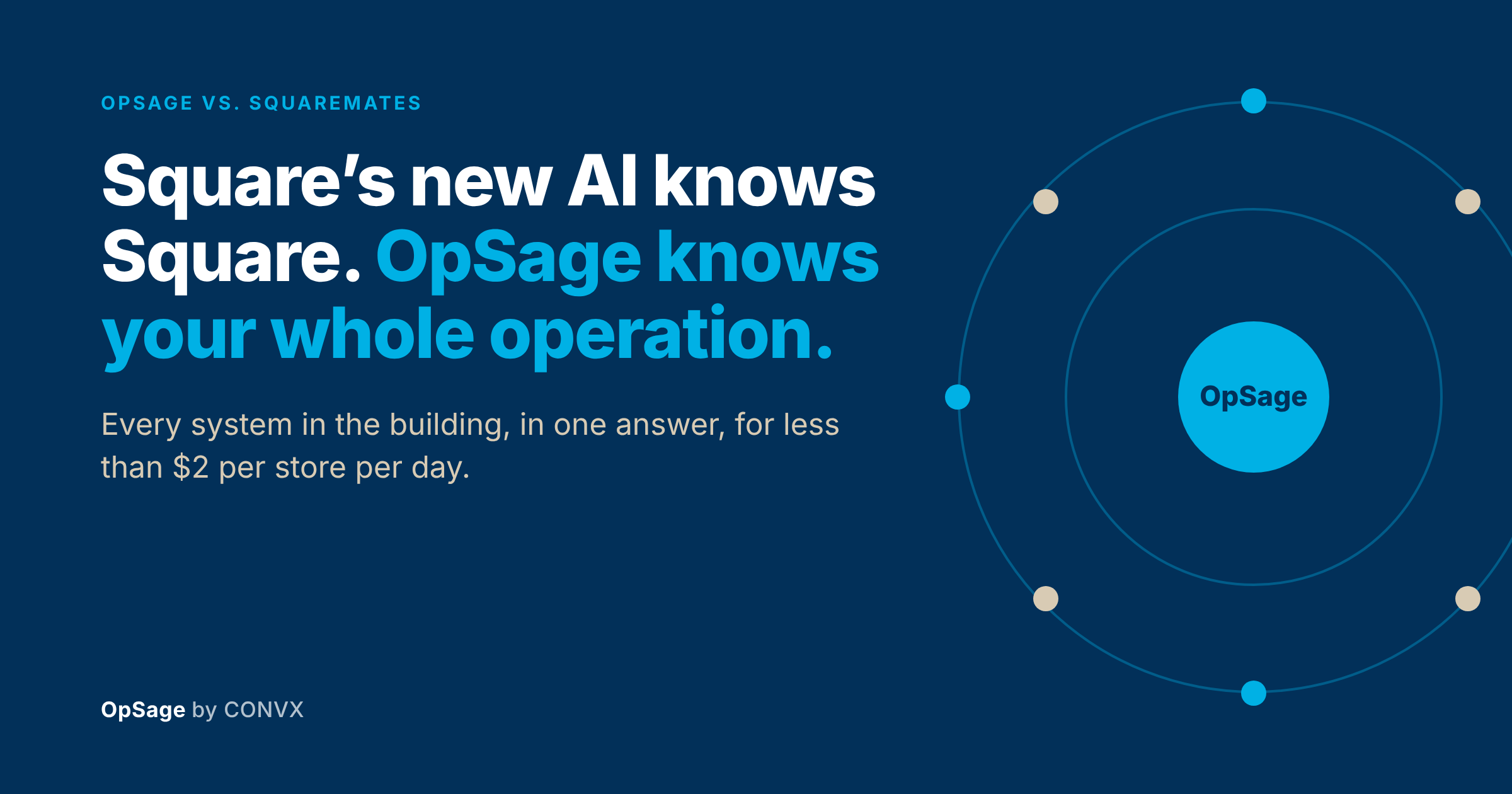

Last week Square released Squaremates, a free AI agent for restaurant operators that replaces its Managerbot beta. Operators sign in to the Square Dashboard, ask a question or hand off a task, and the agent proposes the next move: a leaner staffing schedule, a win-back campaign for lapsed guests, a bulk update to menu prices, or a sales breakdown you can share with the team. Square also improved its MCP connection and added a command-line tool so outside AI assistants can reach Square data.
This is good for the industry. When the biggest small-business POS puts an AI agent in front of every operator at no charge, the bar for restaurant software goes up, and we’re glad to see it.
It also makes one decision a lot clearer for anyone running more than a handful of stores. Squaremates works on the data inside your Square account. Most multi-unit operators run labor, inventory, reviews and scheduling across several systems, and the questions that move the P&L sit in the space between them. According to Fast Casual’s coverage, Squaremates also isn’t available to operators on Square’s Multi-Account Suite, the product Square built for franchise and multi-location organizations.
That gap is what OpSage was built for. So we’ll say it plainly: for a multi-unit restaurant team, OpSage is the most complete and easiest-to-use view of daily operations you can buy today, at less than $2 per store per day. Here’s why we’re comfortable putting that in writing.
Square’s labor example compares labor cost with sales and suggests a cheaper schedule. That’s useful. Now take the follow-up a district manager asks on Monday morning. Friday lunch ran short at three stores, slow-service reviews jumped at two of them, and one had a thunderstorm roll through at noon. Which of those cost us money, and how much?
You can’t answer that from a POS alone. It takes sales, labor, reviews and weather sitting in the same place, mapped to the same stores and the same day parts. OpSage connects to whatever POS you run, Square included, along with the labor, inventory, loyalty, guest feedback and review tools you already use, including 7shifts, Homebase, Deputy, MarketMan, MarginEdge, Punchh, Paytronix, Tattle and Ovation, and adds weather for every location. When a store’s sales drop 25% overnight, OpSage Ask breaks the drop down by weather, staffing, menu mix and review trends, and tells you how many points each one contributed.
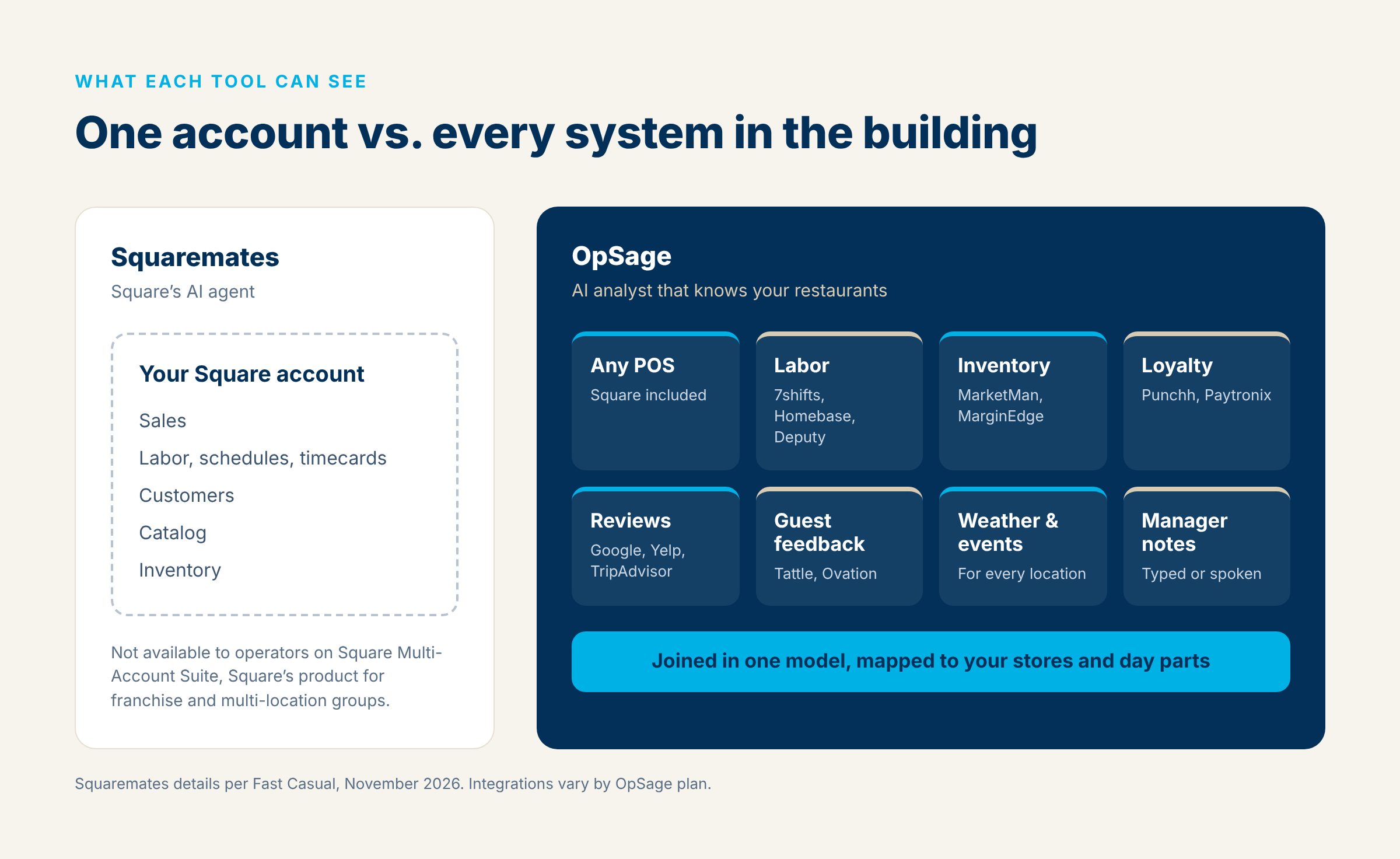 Your managers add the part no system records. A GM can tell OpSage “tomato prices jumped to $95 a case on Tuesday’s order” or “dishwasher went down at 6, back by 9,” typed or spoken, and that note shows up next to the numbers in the weekly report. Think of it as an AI analyst that knows your restaurants, including the things your managers saw on the floor.
The hardest user to serve in a restaurant company is the GM who will never open a dashboard at 6 a.m. For an operator, ease of use comes down to how many people on the team get the answer without learning a new tool. So OpSage goes where your team already is:
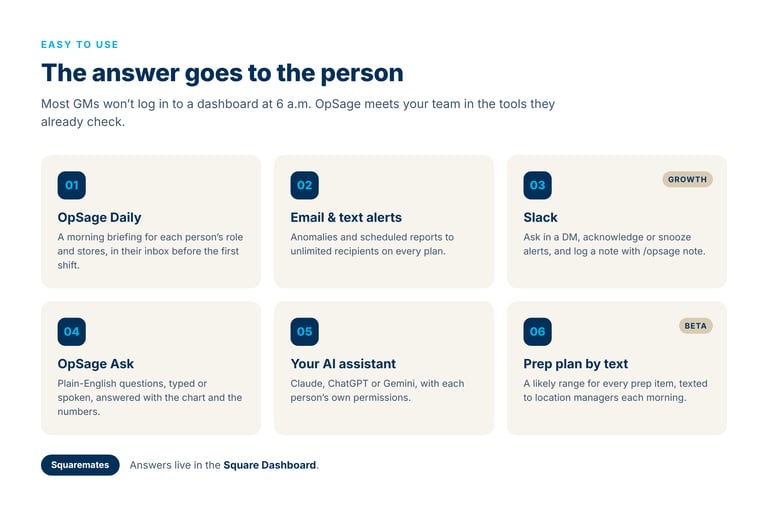
Multi-unit operations come with problems a single-store tool never has to solve. OpSage manages multiple brands and regions on the Growth plan and full franchise systems on Enterprise. Access controls apply to each person on every request, using five standard roles, plus custom roles on Growth. A district manager sees their district and a store manager sees their store, while wages sit behind their own permission. That holds whether someone asks in the web app, in Slack, or through Claude, ChatGPT or Gemini.
We’re glad Square opened its data to outside AI assistants. OpSage has offered the same connection since spring. Link Claude, ChatGPT or Gemini once, with no limit on connected assistants, and each person gets answers from OpSage data under the same permissions they have in the app. Starter connections are read-only. Growth adds routine updates, like adding a restaurant or sending a team invitation, from inside the assistant.
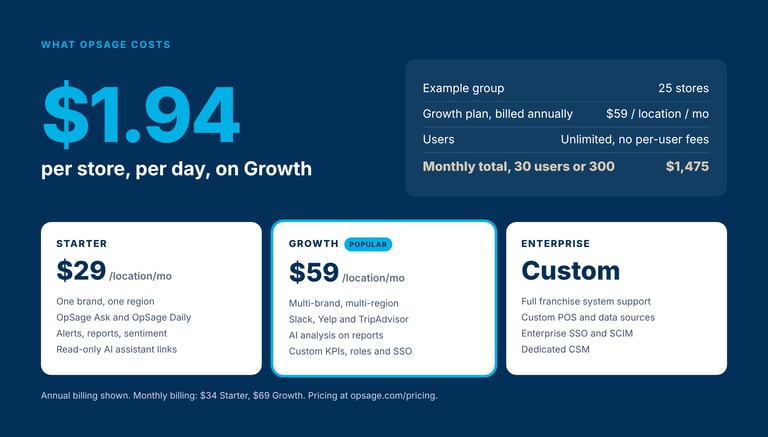
Squaremates is free, and that’s a fair point in its favor. A free tool for one system still leaves a district manager pulling the rest together by hand, though. So here’s what OpSage costs, per location, billed annually:
Monthly billing is available at a slightly higher rate. Every plan includes unlimited application users and unlimited email and text recipients, with no per-user fees. A 25-store group on Growth pays $1,475 a month, about $1.94 per store per day, whether 30 people use OpSage or 300.
| Squaremates | OpSage | |
|---|---|---|
| Data it works on | Your Square account: sales, labor, customers, catalog, inventory | Any POS, Square included, plus labor, inventory, loyalty, guest feedback, reviews and weather, joined in one model |
| Franchise and multi-location orgs | Not available on Square Multi-Account Suite | Multi-brand and multi-region on Growth; full franchise systems on Enterprise |
| Explaining why a number moved | Reports and sales breakdowns from Square data | Breaks a change down across weather, staffing, menu mix and reviews, with each factor’s share |
| Manager context | Not described | Observations by voice or text, attached to reports and alerts |
| Where answers show up | Square Dashboard | Web app, morning email, text alerts, Slack (Growth), and your own AI assistant |
| Outside AI assistants | Square MCP and CLI | Claude, ChatGPT and Gemini, unlimited connections, per-person access controls |
| Users | Square account users | Unlimited on every plan, no per-user fees |
| Price | Free for most Square operators | $29 or $59 per location per month (annual), or custom Enterprise |
Squaremates details are from Fast Casual’s November 2026 coverage of the launch. OpSage pricing is from opsage.com/pricing.
If you run one or two Square locations and want an agent that drafts your schedule and sends a win-back email inside Square, Squaremates is a strong free option, and you should try it. Square built a good tool for the business Square sees.
You also don’t have to choose. OpSage reads your Square data alongside everything else, so a Square operator can keep Squaremates for tasks inside Square and use OpSage for the view across all of it.
If you run a restaurant company, the questions are bigger. Why did prime cost climb at six stores and not the other forty? Is the slow-service problem at Midtown a staffing problem or a volume problem? Did the fix work? Those answers come from every system in the building, delivered to every person who needs them, for less than $2 a store per day. That’s the job OpSage does.
See it on your own data. Compare plans and book a walkthrough for your whole system.